Hours: work, your admin, leisure, meals, sleep
Two questions decide what Sioul brings forward, and they are kept apart:
- Who may reach you, and when: your lists (safe, neutral, restricted, strangers, the blocked, never), your Always through people, and for mail, calls and other apps' messages, what each list does at each time (What reaches you, and when).
- What a thing is for, and whether now is for it: this page.
They meet in one place, mail: your safe senders' mail comes when their row lets it, to any of your addresses; the others' mail (neutral, restricted, strangers) when their row lets it, to an address for what now is for. Your Always through people's comes to any address too. Calls and other apps' messages follow their own rows alone. Mail you send yourself shows at once, and the codes and links you just asked a site for come at once.
This is a matter of health before it is a filter. Work that reaches the evening keeps people from recovering, and the risk is highest for those who work from home or for themselves, for whom nothing else marks the end of the day. Admin spread over every evening weighs too, even when nobody is working.
What each thing is for
A source or a task is for work, for your admin (bills, letters, offices, health errands), or for leisure (friends, family, chats, what you enjoy). These are switches, not a single choice: an address for everything personal is for admin and leisure; a freelancer's bank account, used for both, is for work and admin; a chat used with colleagues and with friends is for both.
| Thing | Where you say what it is for | When you have not said |
|---|---|---|
| A mail address | on its card in Accounts: What this address is for | work: an address you did not classify never reaches your evenings |
| A budget | its form: For | your admin |
| A site | its menu: For | by its type: secure mailboxes and client areas are admin; chats, social networks and dating are leisure; video calls and other sites are admin and leisure |
| A task | its panel: For | by its tags and project: work's (a client's project, GitHub, the categories you call work), leisure's (joy, family, friends…), both admin and leisure for personal ones (health), else admin |
Mail addresses are the one place nothing is guessed for you: saying what each address is for is what separates a business address from a personal one.
Five times
Now is always one of five times:
| Time | What it is | Where it is set |
|---|---|---|
| Work | your working hours, and the work you ask for outside them (Work half an hour more and the like, Work until tonight) | Settings ▸ Hours |
| Admin | your hours for your admin | Settings ▸ Hours |
| Meals | each meal, from getting it ready to its end | Health |
| Sleep | the night, from winding down to waking; each nap, with its minutes to come back | Health |
| Leisure | every other time: evenings, days without hours, time off, the rest of a day closed with Done for today | nothing to set |
When they overlap, sleep comes first, then meals, then the hours: lunch inside your working hours is a meal while it lasts; Work four hours more running into the night leaves the night to sleep. Working and admin hours may overlap: then what each brings comes, all together.
The hour before bed is sleep's: Health keeps it free, and nothing should keep the mind going then. The night's own notice still comes at its start, to say the night begins.
The hours
In Settings ▸ Hours, two weeks: Working hours and Hours for your admin. Each day of each is on or off, with one range of hours or several (09:00–12:00 and 14:00–17:00, a lunch between). Time off, below them, takes holidays and sick leave. There is no leisure to set: it is every other time, and meals and sleep come from the Health page, a button away.
Leisure set as hours by an earlier Sioul (its "free time") is left in your settings, untouched, and no longer counts. Free time is now a pause you take, whatever the hour: see Pauses.
| Now | What comes forward | What waits |
|---|---|---|
| Work | work; your admin too, until admin has hours of its own; a call to an office, always | leisure |
| Admin | your admin; work too, while work has no hours | leisure |
| Leisure | leisure, and nothing else | work and admin |
| A meal | leisure: a meal is a break | work and admin |
| Sleep | nothing notifies but doses, codes and your Always through people; leisure, if you open Sioul | everything else |
| No working or admin hours set at all | everything, as before any were set (meals and sleep keep their time) | nothing |
The status line says what now is, and until when: "Admin time until 19:00: offices, bills, letters.", "Meal until 13:00.", "Leisure until 22:00: what you enjoy.", "Winding down: nothing disturbs until 07:00."
What follows the time
- Mail: when the sender's row lets it (What reaches you, and when). Your safe senders' and your Always through people's mail comes to any address; the others' only to an address for what now is for, unless the two never meet in your week: then their row's times alone decide, so that nothing waits for good.
- Sites: the sites for now are listed first; the others fold under "Other hours". Their notifications wait for their hours, real time and calls included, and none comes while you sleep.
- Tasks: the task pages keep what fits, and the plan places each task in the hours meant for it: work in working hours, your admin in admin hours. Leisure has no hours: what is only for leisure takes no room in the plan and waits for none. The next step is never a call to an office that is closed now.
- Budgets: by what each one is for.
Quiet time
Quiet time is whenever it is not work's time: leisure (the evening, days without working hours, time off, the rest of a day you closed with Done for today), admin hours, a meal, sleep. Work rests until it comes back:
- the Porch shows codes, and the mail your lists let through now;
- work addresses fold on the Mail page, without their dots;
- work sites keep their notifications for later;
- Projects shows only yours, and Time waits behind Show anyway;
- Tasks shows only what fits now.
One sentence in the status line says until when: "Work comes back tomorrow at 09:00."
Closing is offered, never pressed. Once your last hours of the day are over, the status line offers Close the work day (Tasks); in the evening, Close the whole day (Health). On a phone, the offer takes the place of the sentence while it stands. Nothing during sleep.
The way back is never suggested. It is there if you need it: the sentence in the status line opens a menu, with Work half an hour more, an hour, two hours, four hours; Back to the usual hours; or, the day you closed it, Back to today's plan.
Sleep
From winding down to waking, and during a nap, nothing disturbs:
- almost no notification, unless you change it (What reaches you, and when): no site, no reminder before a date, no pause to move, no meal or nap notice, no message, no call but your Always through people's. What still makes sense when you wake comes then;
- codes you just asked for come: you asked, and a code lasts minutes. To keep them on the Porch while you sleep, choose On the Porch only for Codes ▸ Sleep in Settings ▸ What reaches you ▸ Sioul's own;
- doses come all the same: you set their times, and a dose at 05:00 is meant to wake you. To keep them silent while you sleep, choose Later for Doses ▸ Sleep in Settings ▸ What reaches you ▸ Sioul's own: they come when you wake. Sioul never silences a dose without that choice;
- if you open Sioul, the Porch shows what your lists let through now, nothing about money or paper letters; a message about a project comes among the people you know;
- every address folds on the Mail page; only the sites for leisure are listed;
- Tasks, Projects and Time wait behind one sentence and Show anyway; on Tasks, a thought can still be noted for later.
Without a night set on the Health page, nights are leisure and nothing keeps notifications away: the Porch asks for it in a card, Set my night or Leave as is.
Reachable, and work until tonight
Work now is gone since version 0.0.7, and its two jobs part ways.
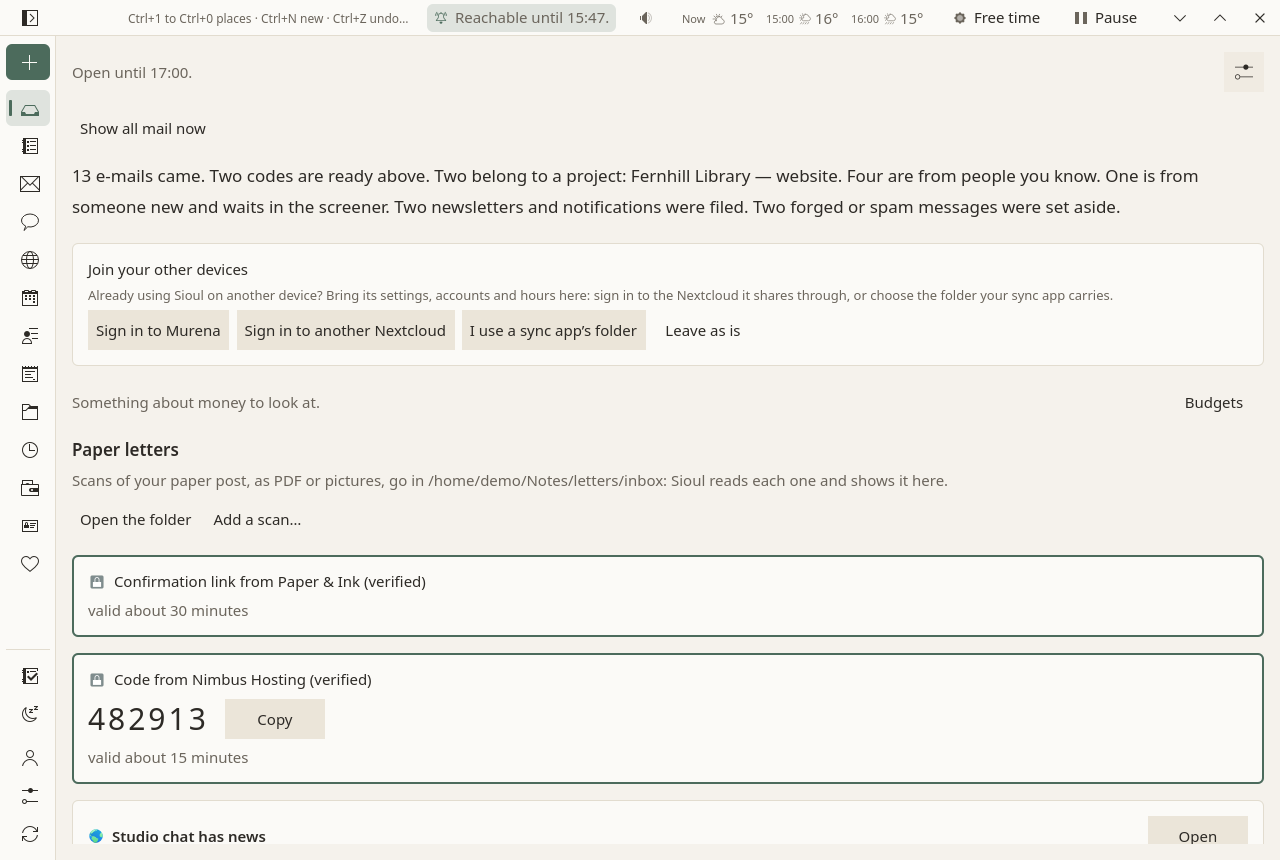
- To see and hear everything for a while, choose Reachable in the card What reaches you now, behind the status line's button (What reaches you), or in that button's menu (a right click, or a long press): for half an hour, an hour or two hours, until the hours you are in end, until tonight, or until you turn it off; whichever you choose, at the latest at the night's start (pressed at night, until you wake), and the menu says so when a length meets it. While it lasts, on each of your devices that has this version of Sioul, everyone not blocked who writes and the people you know who call reach you at once (a conversation you set to never stays held); the Porch opens with every lane and address, tells new mail and looks for mail every minute; what your phone holds comes back at the press. Neither a focus session, nor the night, nor Free time turns do-not-disturb on meanwhile. Numbers nobody knows stay with the call screening (Calls). As usual, in the card or the menu, ends it, and so does a pause; it is not offered during one.
- To show work outside your hours, the status line's menu keeps Work half an hour more to Work four hours more, and adds Work until tonight.
Nothing ends when Sioul starts or closes any more: each has its own end. A "Work now" set by an older Sioul on another device is read as work until its end.
When no hours are set
The Porch asks, in a card, for the hours not set yet, with Set my hours, which opens Settings at them, and Leave as is, which stops asking. Nothing changes until you set some. The same for the night, with Set my night.
What is not decided for you
- A bank account used for both work and admin comes in working hours and in admin hours, not in leisure. Sioul does not split its movements between business and personal: that is for you, or your accountant. Keeping the business account apart keeps its alerts out of your evenings.
- Admin hours in the evening leave calls to offices for working hours, when offices answer. If you would rather keep working hours for work, give admin a slot during the day, such as Tuesday from 14:00 to 16:00.
- Setting only admin hours keeps work in them: work comes in admin hours while it has none of its own. Outside them, leisure.
Why it works this way
- Detaching from work outside working hours goes with less exhaustion (r = −.38 across 91 samples: Wendsche & Lohmann-Haislah 2017), and the most exhausted detach least (Sonnentag et al. 2014).
- Work messages in the evening cost the evening through their tone (Butts, Becker & Boswell 2015), and merely expecting to check them does harm, read or not (Becker et al. 2021).
- Unfinished tasks feed rumination and poor sleep (Syrek et al. 2017); planning where, when and how they will be done raised evening detachment (Smit 2016). So closing the day gives everything a place, and names the first step.
- The hour before bed, kept free of what keeps the mind going, is part of the sleep programmes Health follows (Harvey et al. 2021).
More in what the research says, findings 21 to 23.